Al Quran - Tafsir & By Word

Compact display of page for reading - reducing line height.

2y agoClosed

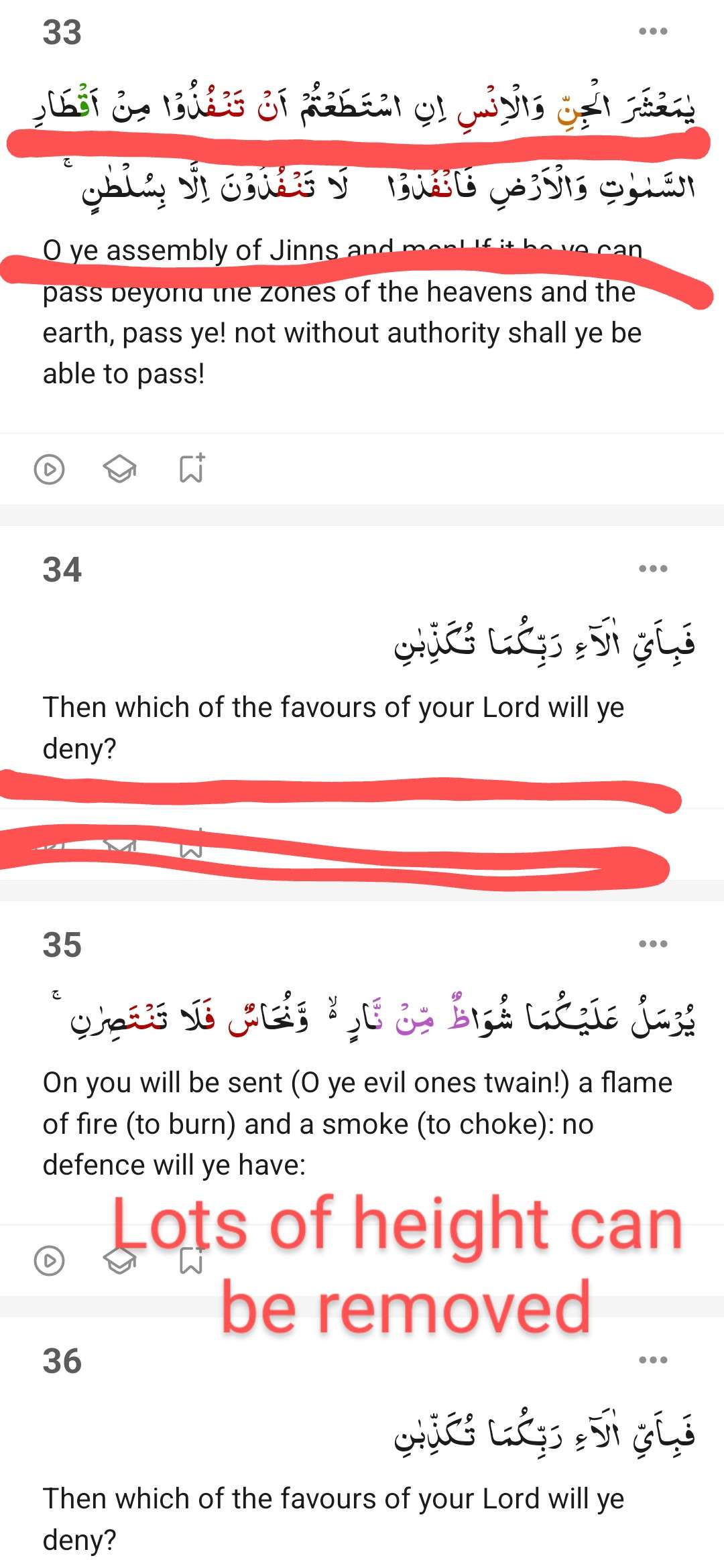
Recently changes have increased the line height when reading with English translation.

And the 3 shortcut buttons after each ayat is also using up space.

Due to this the visible text (ayats) on a screen has reduced which results in moving the screen up more times.

Request you to add a new compact mode setting, which can show more text/ayats on screen. Where line height can be less (or the gap between 2 lines to be reduced) and the 3 shortcut buttons can be removed, which will give space for more text/ayats.

1

  • img/fcuguw8e2nmakee0efsx168t

3 comments

  1. Assalamu alaikum,

    We appreciate your suggestion of making a compact layout.

    This feature is not included in our current roadmap, but we will keep it in mind for future updates, insha’Allah.

    Jazakallah khair for your support.

    1. Jubair Ahmad

      Walaikum assalam wa rahmatullahi wa barkatahu.

      Brother, my point was why we changed the decent layout and expanded so much that we see very little Quran text on the screen.

      If you could have reversed those changes, it would have been great for the followers and users of this app.

      I am comparing the new changes to the older version.

      Older version was better than what you have now.

      Jazakallah khairan kaseeran.

  2. Wa'alaykumus salaam wa rohmatullahi wa barokatuhu,

    JazakAllahu Khairan for reaching out to us! For a compact view, you can try changing the view to "Mushaf view" (if you only want to see the Arabic verses). We have attached a screenshot below for reference. Otherwise, the word-for-word, Translation, transliteration, and Tafsirs (Depending on the features you are selecting) take up the space.

    Wa Antum fa Jazakumullahu Khairan. We hope this information meets your needs and expectations.

    • img/n11g2g9y8zxvt4uawcza5jc9
    • img/01e6ndsk7y1k3t653feds9mr