Dua & Zikr (Hisnul Muslim)

Share does not take screenshots

1y agoClosed

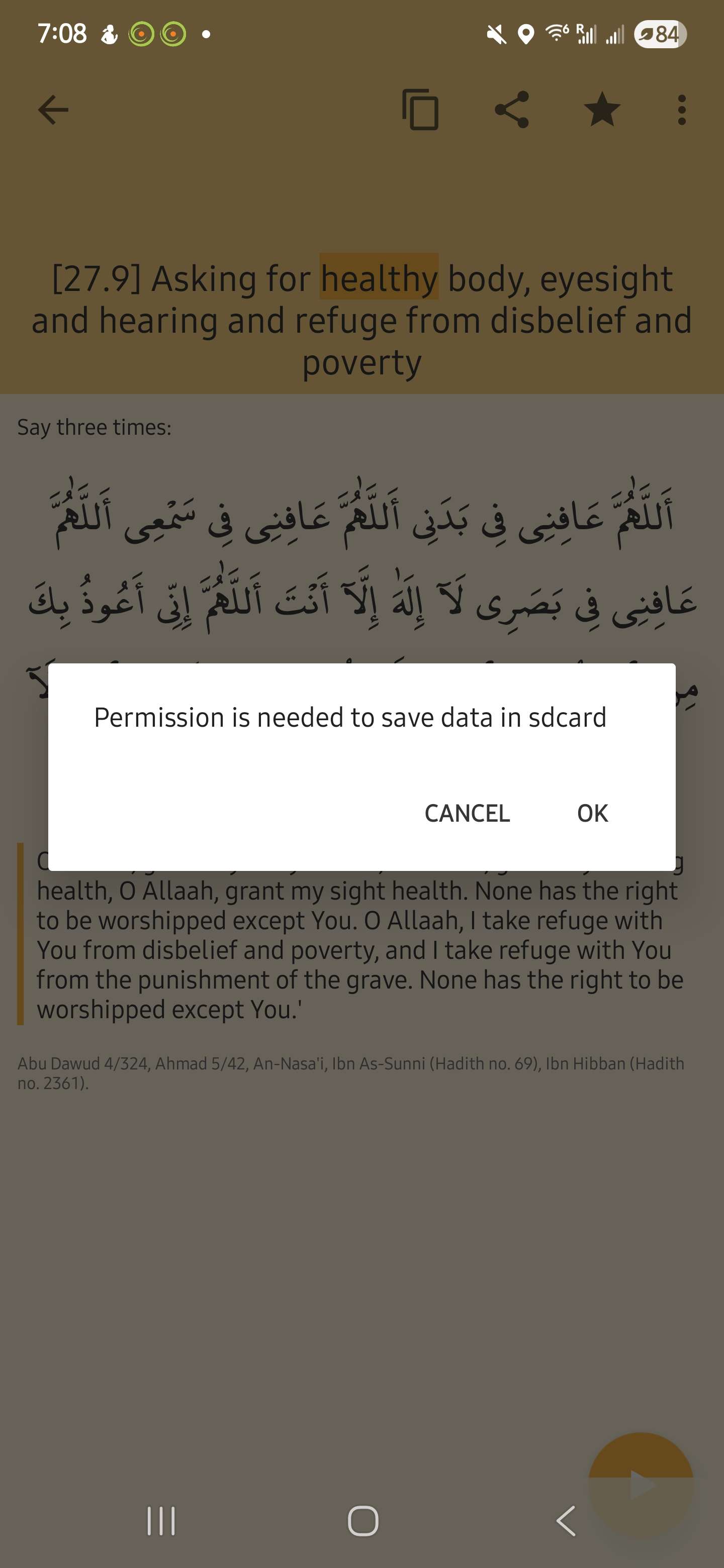
Top right side "share" does not let the app take screen shots.

I have tried uninstalling and then reinstalling but still get the same error message regarding sdcard.

Many phones do not have an sdcard.

Please fix the issue so I can give your app much better rating.

جزاك الله خيرا

  • img/vc8mgxvfls57wonm1txnt0mw

6 comments

  1. Jubair Ahmad10mo ago

    Closing this ticket as we couldn't reproduce the issue on the latest version. Please update the app and if the issue still persists, open a new ticket with all the details.

  2. Assalamu alaikum salik2,

    The solution is very simple. Just follow these steps

    - Go to your phone’s Settings.

    - Scroll down and tap on Apps (or Applications).

    - Find and tap on the **Hisnul Muslim** name.

    - Tap on Permissions.

    - Look for Storage and turn it on by tapping the toggle (it should say something like **Allow** or **Grant permission**).

    - Once it’s turned on, you can go back to the app and it should work fine.

    If you still face problems please feel free to let us know.

    1. salik21y ago

      Jubair Ahmad There is no option to turn on permission.

      Even when I click the 3 dots at top right corner. It does not have storage option.

      App version is 1.10.12

      My phone is Galaxy S25 Ultra

      One UI Version 7.0

      Android version 15

      جزاك الله خيرا

      • img/98ds7zs7lpccdmgvqc8qu3gy
      • img/rpm96wyiltio66qvrhnb2u2f
      • img/lelx6ig4fa7wtpfnqtgtiguu
    2. salik2: Thank you for the update and for providing your phone details

      Since you're not seeing the storage permission option, it's possible that Android 15 handles permissions differently.

      Could you please try the following steps instead:

      - Go to Settings.

      - Tap **Security & Privacy** > **Permission Manager** (or just search “Permission Manager” in the search bar).

      - Look for **Storage** or **Files and media**.

      - Find **Hisnul Muslim** in the list and check if permission is set to **Allow**.

      If it’s already set to allow or you don’t see the option, please let us know. We'll then need to forward this to our development team for a closer look.

      Jazakallahu khair for your patience.

    3. salik21y ago

      Jubair Ahmad

      As Salamu Alikum.

      I do not have any apps showing under "Files and media"

      Neither for "Allowed"

      Nor for "Not allowed"

      But other apps like Whatsapp, Telegram, etc. I do get pictures, etc. saved in the folders on my phone.

      Please have your development team look into this matter as it has been since last year or more (I was using Note 20 before the current phone)

      Jazakumullahu Khayran.

  3. Assalamu ‘alaykum wa rahmatullah.

    JazakAllahu khairan for reaching out to us! We are sorry to hear about the issue you are facing. We want to investigate this issue further.

    Please share with us the following details:

    1. Device model and OS version

    2. App version

    These would help us identify the bug faster in shaa Allah.

    Massalam.